Hearing from Distance: Spy Ear
Wallet Passes AllianceMedical
4.5336.00 Reviews
- Version
- 2.1.2
- Installs
- 1.00M
- Age Rating
- Everyone
Screenshots
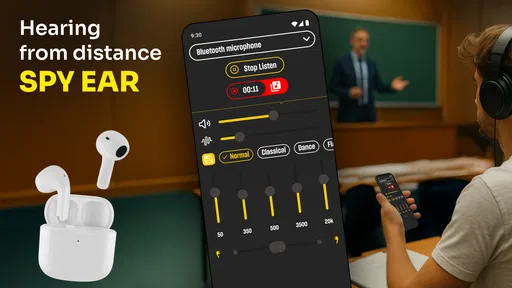
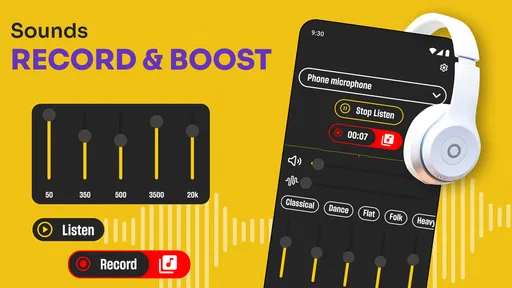
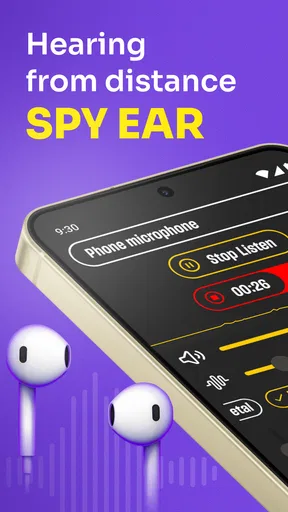
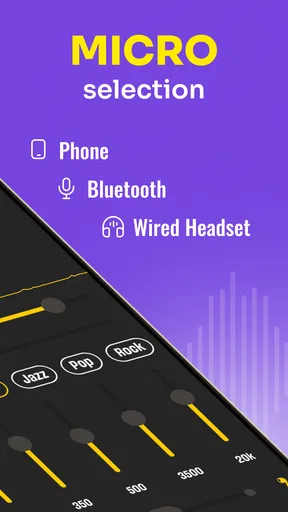
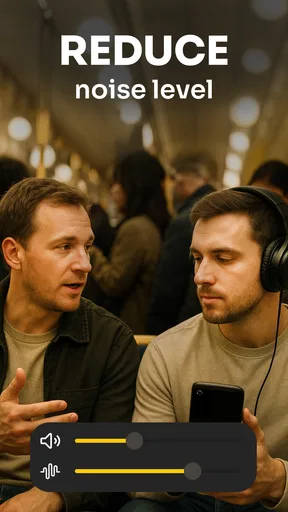
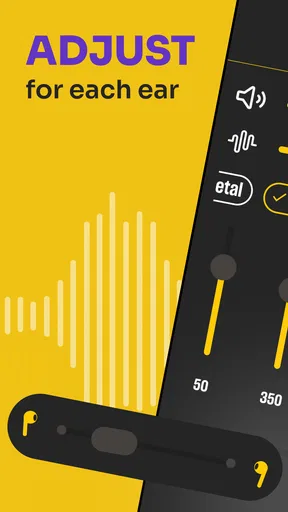
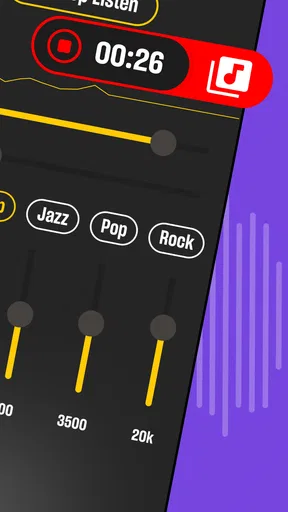
Our Review of Hearing from Distance: Spy Ear
 Analysis by Appyee
If you share a phone at home, an audio app can become a household tool as much as a personal one. I would treat Hearing from Distance: Spy Ear as something one person uses deliberately, rather than a device everyone passes around without discussion. Its appeal is simple: use a phone to listen more closely to nearby sounds. The useful question is not only whether that sounds interesting, but when it makes sense, who is comfortable using it, and where ordinary conversation or a hearing professional is the better answer.
A shared phone needs a clear purpose
Picture a family meal in a lively room. Someone wants to follow a conversation at the far end of the table, while another person is curious about sounds coming from the next room. The app may seem convenient in either case, but I would first agree on what the listener is trying to hear and make sure the people nearby know it is being used. That small pause keeps a listening aid from turning into a source of awkwardness or mistrust.
For a shared-device household, it also helps to keep use intentional: one person holds the phone, checks the sound, and puts it away when finished. I would not assume that the app has separate household profiles, child settings, or a way to coordinate users; those are not things to build a routine around. The practical coordination is simply a conversation between the people sharing the device.
Boundaries matter more than clever listening
A phone microphone can pick up sounds that the listener did not mean to focus on. I would use this kind of tool only where listening is appropriate, avoid aiming it at private conversations, and stop if someone seems uncomfortable. In a public place, there is a difference between trying to hear a speaker you are meant to listen to and secretly monitoring strangers. The app does not change that boundary.
There is also a straightforward household rule worth setting before anyone tries it: do not treat amplified sound as proof of what someone said. Background noise, distance, and the phone’s position can all affect what reaches the headphones. If a conversation matters, asking the person to repeat themselves is often clearer and more respectful than trying to reconstruct it through a microphone.
Who is likely to find it useful
I can see the appeal for someone who wants a temporary listening boost in a specific situation, such as following a nearby speaker or noticing environmental sounds while seated in one place. It may also satisfy curiosity about how a phone microphone and headphones can change the way a room sounds. But anyone with persistent difficulty hearing conversations should not mistake a general app for a hearing assessment or a properly fitted hearing aid.
For younger users, I would make the purpose and privacy expectations explicit before handing over a shared phone. The age rating is Everyone, but an age label does not replace adult guidance about listening to other people. If a child uses it, I would keep the activity supervised and limited to appropriate settings, such as listening to a consenting family member speak from across a room.
It is also worth considering whether the listener can comfortably manage headphones and phone controls. A person who needs reliable support throughout the day may be better served by professional advice and assistive equipment designed for that need. Spy Ear is a more occasional, phone-based option, not a substitute for that care.
If you've ever found yourself in a situation where you wished you could hear a conversation from afar, the Hearing from Distance: Spy Ear app might just be the perfect tool for you. This nifty little app has been making waves among users who are curious about enhancing their auditory capabilities. I took it for a spin, and here's what I discovered.
First Impressions
Downloading the Hearing from Distance: Spy Ear app was a breeze, available on both Android and iOS platforms. The interface is pretty straightforward, with a minimalistic design that emphasizes functionality over flashy graphics. I appreciated how the developers focused on keeping everything simple and user-friendly.
Getting started requires a pair of headphones or earphones, which the app uses to transmit sounds from your environment directly to your ears. It's like having a mini hearing aid that you can control with your smartphone. I was intrigued by the potential of this technology, especially for those moments when clarity is key.
Diving into the Features
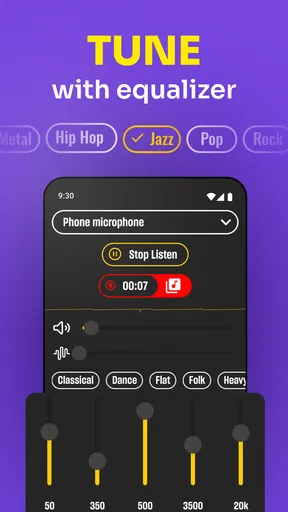
The app offers a variety of features that cater to different needs. You can adjust the sensitivity to pick up on even the faintest whispers, or dial it down to focus on more direct sounds. This flexibility was particularly useful during a testing session in a busy café. I could easily tune out the background chatter and focus on a specific conversation.
One feature that stood out to me was the noise reduction option. It smartly filters out unwanted ambient noise, which can be a game-changer in crowded or noisy environments. I found this particularly helpful during a walk in the park, where I wanted to hear the birds without the interference of traffic sounds.
Real-World Applications
While the app is fun to use for curiosity's sake, it also has practical applications. Imagine you're at a lecture and you're seated at the back of the hall. With the app, you can amplify the lecturer's voice so you don't miss a word. Similarly, it can be a handy tool for people with mild hearing impairments, offering an affordable solution to enhance their hearing.
I also tested it during a family gathering, where multiple conversations were happening simultaneously. It was fascinating to be able to focus on one discussion while tuning out the others. It's like having selective hearing at your fingertips!
Choosing the right listening setup
In practice, the phone’s position is part of the setup, not an afterthought. If I were trying to follow a speaker at a permitted event, I would place the phone where it can hear that speaker clearly, rather than keeping it buried in a pocket or pointed toward unrelated activity. I would test the sound at a comfortable level before relying on it, then adjust the sensitivity gradually. Turning it up aggressively can make room noise more prominent instead of making speech easier to understand.
The type and fit of the headphones also affect comfort and awareness. A sealed pair may make the amplified audio easier to hear, but it can also make it harder to notice what is happening around you. In a place where awareness matters, I would keep the volume conservative and avoid blocking important environmental sounds. That is a practical trade-off, not a feature the app can solve for you.
For a lecture or presentation, there is another useful distinction: the app can only work with sound its microphone receives. Sitting closer to the speaker, asking for a seat with a clearer view, or using an available venue hearing system may be more dependable than relying on a phone from the back of a large room. I would treat Spy Ear as a possible aid for a suitable setting, not a guarantee that every distant voice will become clear.
How it compares with other options
Compared with simply asking someone to repeat a sentence or moving closer, an audio-amplifying app is less socially direct but also more dependent on the room and setup. Compared with ordinary phone recording, its purpose is immediate listening rather than reviewing a recording later; I would not assume that it records or stores audio. And compared with dedicated hearing devices, a phone app is easier to try if you already have a compatible phone and headphones, but it is not designed to replace professional hearing support.
For television, the simplest alternative may be adjusting the TV’s own volume or using its supported listening equipment, if available. For a conversation across a table, asking the speaker to face you and speak clearly may work better than filtering a crowded room. I find the app most interesting when the listener wants a temporary, hands-on way to explore sound, and less compelling when the need is frequent, medical, or critical to safety.
That distinction also helps answer whether it is worth trying. Wallet Passes Alliance is the developer, and the app sits in the medical category. It is free to install, has a 4.7 average from around 12 thousand ratings, and has passed over a million installs. Optional in-app purchases range from $0.99 to $99.99 per item, so I would check the purchase screen carefully before confirming anything. The current version is 2.1.2, and it runs on Android 5.0 or later.
Limitations to Consider
Despite its many uses, there are some limitations to the app. It's not a replacement for professional hearing aids, and it doesn't support Bluetooth devices, which might be a downside for some users. Additionally, the effectiveness of the app heavily depends on the quality of your earphones. High-quality headphones will undoubtedly enhance your experience.
Another point to consider is privacy. While the app is marketed as a tool for enhancing hearing, users should be mindful of ethical considerations when using it in public spaces. Respect for others’ privacy is paramount, so use it responsibly.
There are everyday reasons it may not work as hoped: a noisy room can mask the voice you want, a badly positioned phone may capture the wrong sound, and wearing headphones can reduce awareness of what is around you. I would not use it while crossing a road, cycling, driving, or doing anything that depends on hearing immediate surroundings. If a sound is important for safety, direct awareness is a better choice than listening through a phone.
The age rating is Everyone, which makes the app broadly suitable from a store-rating perspective, but household trust still depends on how it is used. I would explain that listening should be limited to situations where everyone involved is comfortable. That is especially important when the phone belongs to someone else or is shared among family members: use it with permission, do not explore another person’s conversations, and return the device when finished.
Final Thoughts
Overall, the Hearing from Distance: Spy Ear app is an intriguing piece of technology. It's straightforward, effective, and offers a unique way to experience the world around you. Whether you're using it out of necessity or just for fun, it's a cool gadget to have on your phone. Just remember to be considerate of your surroundings and the people in it.
If you're curious to try it out yourself, I’d say go for it. It's a fun and useful app that can add a new dimension to your listening experience. Happy listening!
A sensible household verdict
I would recommend trying it if you want an occasional listening aid, understand that results depend on the phone’s position and your headphones, and can use it openly and respectfully. It is a weaker fit for someone seeking dependable all-day hearing assistance, anyone who needs Bluetooth support, or a household that cannot agree on clear privacy boundaries. In those cases, a conversation, a closer seat, or professional hearing advice is the more sensible route.
For a shared phone, the best routine is uncomplicated: agree on the purpose, get consent where other people may be heard, keep the volume and surroundings in mind, and stop when the situation changes. Used with those limits, Spy Ear can be an interesting practical tool rather than a substitute for communication or care.
Verdict
Strengths of Hearing from Distance: Spy Ear
- Amplifies distant sounds effectively.
- Simple and intuitive user interface.
- Adjustable sensitivity levels.
- Works well with headphones.
- No intrusive ads during use.
Limitations of Hearing from Distance: Spy Ear
- Privacy concerns with misuse.
- Battery drains quickly in use.
- Limited features in free version.
- Requires strong internet connection.
- Not suitable for noisy environments.
Other Releases by Wallet Passes Alliance
View All
WalletPasses | Passbook Wallet
Travel & Local4.5

House Design Plan 3D App
House & Home4.0

Funky Smiles Live Wallpaper
Personalization4.7

Mirror Link
Libraries & Demo3.2
Similar Picks in This Category
View All
WebMD: Symptom Checker
WebMD, LLC4.1

Microphone Amplifier
DOSA Apps4.2

Anatomy Learning - 3D Anatomy
3D Medical OU4.5

Period Tracker and Calendar
SimpleInnovation4.9

GoodRx: Prescription Coupons
GoodRx4.8

CVS Health
CVS Pharmacy4.5
Frequently Asked Questions
What is Hearing from Distance: Spy Ear, and how does it work?
Hearing from Distance: Spy Ear is an app designed to amplify sound, allowing users to hear conversations or sounds from a distance. It utilizes your device's microphone to capture audio and enhance it through advanced processing algorithms, delivering clearer sound through headphones. It's important to use this app responsibly and ethically.
Is Hearing from Distance: Spy Ear legal to use?
The legality of using Hearing from Distance: Spy Ear varies by region. Users must ensure compliance with local laws regarding privacy and consent. Unauthorized recording or eavesdropping can lead to legal consequences. Always obtain permission from individuals involved before using the app in settings where privacy is expected.
Does the app require an internet connection to function?
No, Hearing from Distance: Spy Ear does not require an internet connection to function. It operates using your device's built-in microphone and processes the audio locally. However, internet access may be needed for downloading the app, updates, or accessing additional features and support.
What devices are compatible with Hearing from Distance: Spy Ear?
Hearing from Distance: Spy Ear is compatible with most iOS and Android devices. Users should ensure that their device’s operating system is up to date for optimal performance. Compatibility also depends on the quality of the device's microphone and headphone output for effective sound amplification.
Are there any privacy concerns with using this app?
While the app is designed to enhance audio, users must be cautious about privacy. Recording or listening to conversations without consent can infringe on privacy rights. The app should not be used in sensitive or private settings without explicit permission from those involved. Respecting privacy is crucial when using this technology.
